

Overview
Downloading and installing Zamp’s Adobe Commerce extension can either be handle locally, or through the Magento Marketplace.Prerequisites
Installation via Composer
1
Creating the Directory Structure
Within your Magento directory, run:
2
Installing the Extension File
- Download the extension file provided by Zamp.
- Enable the module by running:
-
Verifying the Installation
1
Check That the Module is Listed and Enabled
2
Confirming the Module Appears in the Admin Panel
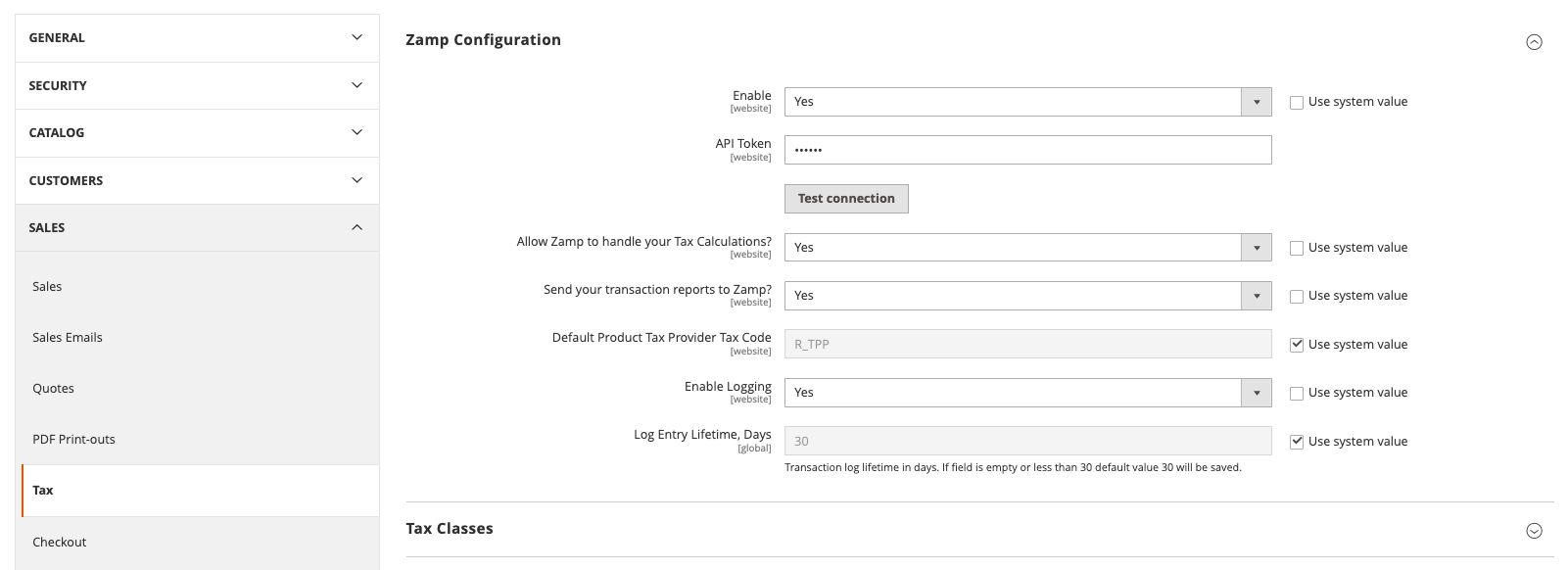
- Navigate to Stores > Configuration > Sales > Tax
- Look for the Zamp Configuration section
-
3
Check for Successful Database Updates
4
Verify Clean Logs
Magento Marketplace Configuration
Configuration
Configure the Zamp Tax extension through the Adobe Commerce admin panel under Stores > Configuration > Sales > Tax > Zamp Configuration.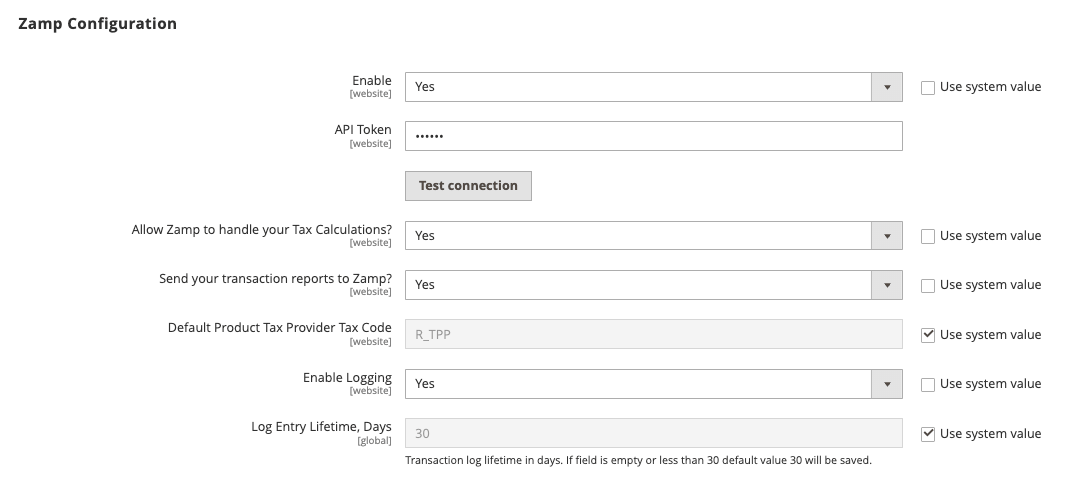
Module Activation
- Enable/disable the module using the “Enable” setting
- Configuration path:
tax/zamp_configuration/active
API Credentials
- Enter your Zamp API token in the “API Token” field
- Click “Test Connection” to verify your credentials
- The API token is stored encrypted in the database
Default Tax Settings
- Configure the default product tax code in “Default Product Tax Provider Tax Code”
- Default value:
R_TPP - This code is used when no specific tax code is set on a product
- Default value:
Logging Configuration
- Enable/disable logging with “Enable Logging” setting
- Set log retention period in “Log Entry Lifetime, Days”
- Minimum value: 30 days
- If empty or less than 30, defaults to 30 days
Tax Calculation Settings
Enable Tax Calculations
- Enable Zamp tax calculations using Allow Zamp to handle your Tax Calculations?
- Configuration path:
tax/zamp_configuration/allow_tax_calculation
Product Tax Codes
- Set product-specific tax codes in each product’s configuration
- Default code will be used if no product-specific code is set
Transaction Settings
Transaction Sync Configuration
- Enable transaction reporting using Send your transaction reports to Zamp?
- Configuration path:
tax/zamp_configuration/send_transactions
Automatic Transaction Reporting
When enabled, the following events trigger automatic transaction reporting:- Invoice creation (
sales_order_invoice_save_after) - Credit memo creation (
sales_order_creditmemo_save_after) - Transaction data includes:
- Line items with tax codes
- Customer tax exemption information
- Shipping and handling charges
- Discounts and adjustments
tax/zamp_configuration/active) to take effect.